


It’s official 6 days ago I entered the world of the iPhone. Since that time, being the photography obsessed individual that I am, I’ve been interested in learning more about the capabilities of the iPhone’s camera. The camera on the iPhone continues to be the step child of the iPhone hype hardly getting any technical mention on Apple’s iPhone Technical Specifications page and it was hardly mentioned nor demonstrated by Steve Jobs during his keynote speech at MacWorld 2007. To sum up all that we know about the iPhone camera: “2.0 megapixels”.
This week I gave the iPhone camera a run for its money (no jokes from the peanut gallery) and here’s the low down…
Out of the Camera Quality and Comparison
One of the biggest surprises is the iPhones output of RAW files and iPhoto’s RAW processing capabilities. Just kidding! Don’t you wish. Sadly the only file output from the Apple iPhone is a JPEG file. At 2 megapixels the file dimension of each image is 1600 x 1200 pixels equivalent to the resolution of my first digital camera that I received as a gift in 1998. Just for the record my 1998 digital camera was still more money than the iPhone although I’ve not done my homework on the adjusted cost with inflation.
Resolution wise the camera output is adequate and would easily create a 4×6 or 6×4 image depending on your preference. Out of the camera the images are far from what they should be. Every camera does it’s best to reflect accurate color, but the iPhone seems to consistently produce images that need considerable tweaking. iPhoto, Apple’s software solution to catalog, store and adjust imported images, is a great resource, but frankly it is not enough. Why?
Frankly the old adage of “Garbage In, Garbage Out” is why. I’m sure with a decent quality image iPhoto could hold it’s own against the like of basic editing in Adobe Elements or Photoshop, but if you have a poor quality image file there isn’t much you can do.
Pictured below is my dog Moe at Fort Funston, an off leash dog area, here in San Francisco. On the left is the image as it appears straight out of the camera and to the right is Photoshop corrected version. The first thing you’ll notice is a heavy shift towards red in the center of the image. Secondly you’ll see a green color shift on the bottom corners. Before I go further with my review I should ground this review by saying, “It’s just a cell phone camera.” I wouldn’t expect the output to be on par with a more expensive digital camera like my dSLR, but for all that Apple represents I would expect the inner workings of the iPhone’s camera to be a little higher quality.
 |
 |
| Straight Out of the Apple iPhone No Photoshop |
Curves Adjustment in Photoshop |
Grain and Noise
Below is an image before and after adjustment in Photoshop along with a 1:1 crop. Again you’ll notice the color shifts and vignetting (darkening of the corners), but what you’ll also see in the 1:1 crop is the luminance noise (the grainy pixelated look) and chrominance noise (the colored pixels sprinkled throughout the image). There is even very subtle moire in the image. All in all this was worse than I would have expected.
 |
 |
| Straight Out of the Apple iPhone No Photoshop |
Curves Adjustment in Photoshop |
|
|
|
| 1:1 Crop of a Photo from an Apple iPhone | |
Clean Up In Photoshop
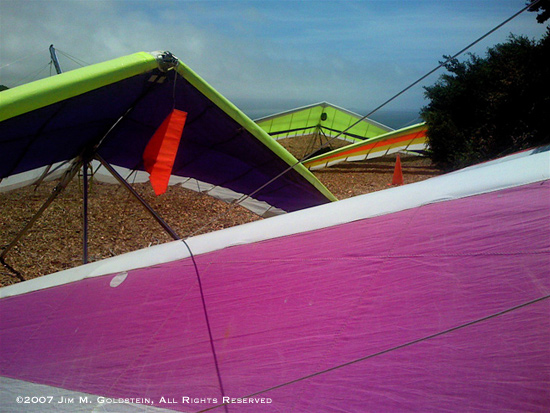
For the most part, looking past the afore mentioned weaknesses, a quick photo from the iPhone cleans up well enough for basic use. Even in an unedited version it is more than adequate for a quick image based email to a friend (which the iPhone supports with its email applications).
 |
|
| Straight Out of the Apple iPhone No Photoshop |
Curves & Shadow/Highlight Adjustments in Photoshop |
Focal Distance
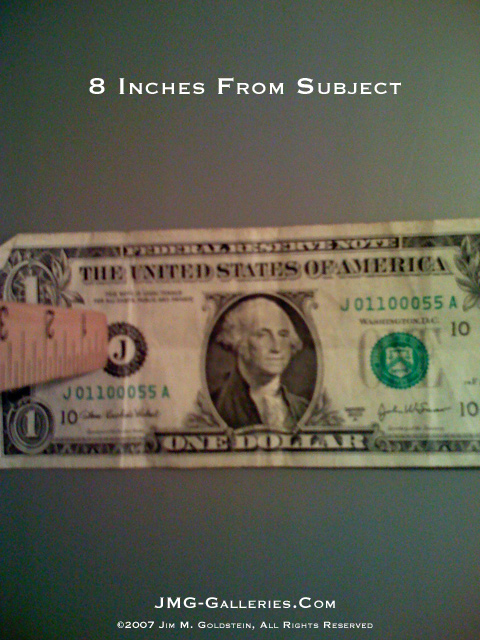
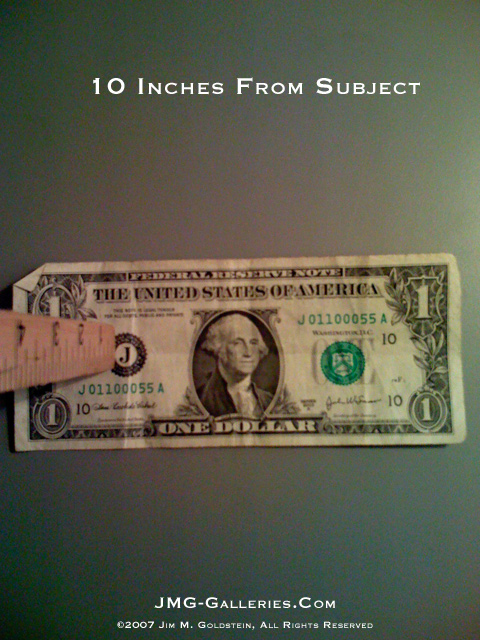
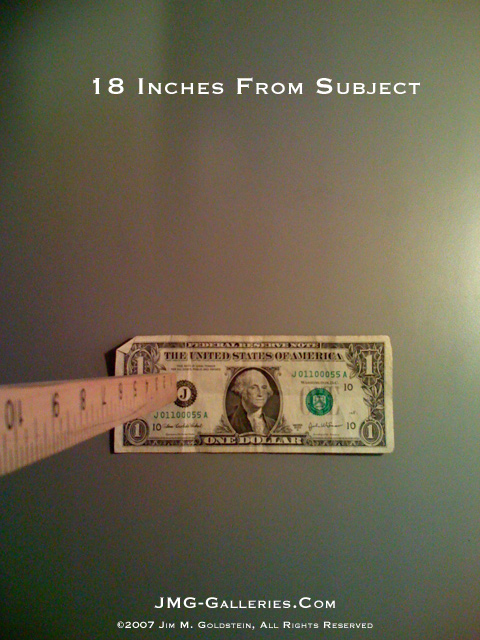
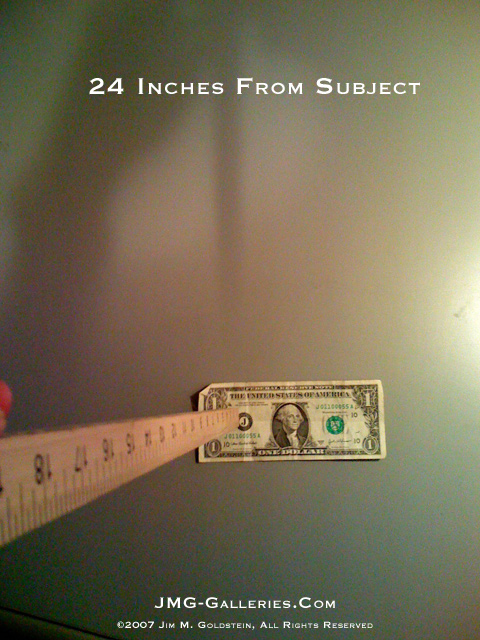
As I tinkered with the iPhone I wanted to see how it fared with extreme focal distances. Would it take a decent picture of a flower? Would it take a decent picture of something far off in the distance? The iPhone camera does not have a Macro function and it is pretty apparent. Long distance shots come out ok when viewed in a smaller format, but the 1:1 crop reveals a less than stellar image. After two separate outings this past weekend to Fort Funston and Angel Island I had plenty of material to look through for examples of image quality at different focal lengths. Quickly seeing the limitations of the camera I decided to look into this in a more analytical fashion. Back at home I simply placed the camera at different heights above a dollar bill and snapped away (see below). In the end you wouldn’t want to photograph anything closer than 18 inches away and a distance of 24 inches seemed to be the ideal minimum focal distance.
 |
 |
| Attempted Macro Photo from the Apple iPhone Photo: Ice Plant Bloom |
Long Shot from the Apple iPhone Photo: View of San Francisco from the Tiburon-Angel Island Ferry Click For 1:1 Crop and Panoramic |
 |
|
| Minimum Recommended Distance for Apple iPhone Photos ~24 inches Photo: Moe My Jack Russel Terrier at the Dog Park |
|
 |
 |
| Apple iPhone Focal Distance – 6 inches Click to Enlarge |
Apple iPhone Focal Distance – 8 inches Click to Enlarge |
 |
 |
| Apple iPhone Focal Distance – 10 inches Click to Enlarge |
Apple iPhone Focal Distance – 18 inches Click to Enlarge |
 |
|
| Apple iPhone Focal Distance – 24 inches Click to Enlarge |
Camera Aberrations
One last item of note about the iPhone camera is that panning produces an interesting result that I’ve yet to see with any other camera (not that I’ve tried with many). The resulting image from a pan will produce a “house of mirrors” type distortion. I discovered this while trying to get a photo of my very stubborn wife who goes out of her way to avoid having her picture taken. You can only imagine how well we get a long when I have a camera in hand 🙂 The result was a pleasant surprise, but for some it might be an annoyance.

Miscellaneous
A couple of other random observations about the Apple iPhone camera…
1. There is a shutter delay. Being spoiled with my dSLR this annoys the hell out of me, but over time you do get used to it.
2. Self portraits are nearly impossible to take with the iPhone. Whether you know it or not most phones that sport a camera have a little convex mirror on the back near the camera lens. This allows you to line yourself up in a self portrait shot. The iPhone does not have this and the layout of the shutter button on the iPhone screen makes it nearly impossible to take a self portrait shot. It’s unfortunate. Considering the sophistication of the software powering the iPhone it would have been nice if Apple included a timed shot function to counter balance the poor shutter button placement.
Overall Impressions
I wouldn’t rate the iPhone camera very highly and at best I’d consider it average. Not what I would have expected from Apple, but then again it’s an iPhone not an iCamera. It’s pretty apparent the camera wasn’t the focal point of the iPhone. The quality of the phone and iPod music/video player are far superior. For all the attention to detail put into the iPhone I would have expected more in regard to the camera. It works fine for quick images to relay in an email, but I’ll likely never print any of the images captured by the iPhone.
[tags]Apple, iPhone, camera, review, image, quality, noise, JPG, RAW, color, accuracy [/tags]
Let’s see them fix this with a software upgrade… 😉 Still waiting for iPhone 2.0.
Raoul you’re not going to go wrong with waiting. These gadgets only get better with each subsequent version. Most people aren’t getting an iPhone to take pictures they’re getting it to use as a phone, iPod and internet device. In all these areas the iPhone excels so the camera is understandably an afterthought. With an eye for photography it is tough to look past the camera short comings though.
On behalf of my friend who emailed me….
—
since i’m having a problem finding out exactly what kind of sensor the iphone uses (ccd or cmos), i can’t be sure but i think that distortion you pointed out in your post about the iphone’s
photographic abilities might be ‘cuz of something i’ve seen called a “rolling shutter”. . .
when i was looking at buying a new camcorder last month there was this one model in particular that stood out – the canon hv20 ‘cuz it had great low-light capabilities and the ability to shoot in 1080 24p. . . the main problem i saw people talking about was this weird distortion you’d get under certain circumstances. . .
ended up the distortion was ‘cuz cmos sensors don’t always capture the image all at once but instead sometimes capture by “rolling” down from the top of the sensor down to the bottom. . . it was real noticeable when this one dude uploaded some sample footage he took where he shot is door and a vertical halogen lamp while quickly panning back and forth. . .
up ’til you pointed it out with that one shot on your blog, however, i’d never seen that type of distortion anywhere else in any other
product. . .
oh, and as a side note, as someone else pointed out, yeah that rolling shutter would suck if your primary subjects were doors that you quickly panned back and forth in front of, but for most people it shouldn’t be a big deal. . . he then linked to a handheld clip of a cyclist he shot while driving next to him and it was pretty obvious that, yeah, the rolling shutter wasn’t really that big of a deal. . . especially when you consider how well the camcorder shone in all other respects. . .
after a while people started pointing out that the rolling shutter wasn’t a problem with just the hv20 but with pretty much all relatively cheap cmos camcorders. . . the thing i wasn’t totally clear about was if it really did happen to only cheap camcorders. . . like i’d never heard of canon’s digital slr cameras having that problem with individual shots, but then again maybe most people don’t shoot doorways while quickly panning left or right using the 30d. . .
Thanks for your review.
I’m not a professional photographer, but still very fond of photography.
I’m european, still waiting for iPhone to be “legally” available, or to find a way to put my hands on one some other way 🙂
As you say camera features are hardly mentioned on apple sites.
Your review confirmed my “fear” that iPhone camera is just a poor appendix.
I have to say that i’m sorry for that and wonder why it is like that.
Macro function would be of big importance. I often would take pictures of visit cards, articles on magazines that i borrow… I cannot do it with my HTC windows based mobile phone, because it does not have macro. I could once do it with my palm.
I used to be a passinate photographer with old fashion film cameras. I printed black and white myself… I saluted digital photography and followed it’s birth and growth. I was happy that photographs could be more spontaneous not having to worry for price and chemicals.
I imagined that a light digital camera to have in your pocket at all times could be seen as a human-visual-memory-extension. Just take a picture whenever you want/need. Quick response and macro in this sense are necessary.
On the other hand I’m not surprised that Apple does not push for a good camera. Photography has had an incredible growth among users. Anyone spends a lot of money for a digital camera nowdays. Few years ago only few people invested similar amounts to buy a camera.
I think there is great ignorance about photography. The market (what people want) is not always going in the “right” direction. I wonder why people, when buying a small digital camera and comparing different models they think for example that zoom-power is important… my zoom is 12x… and nobody cares about a decent wide angle. I had to wait years to fit a 24mm in my pocket.
Anyway
Thanks again
Regards
Matteo
Hi!
Erm.. I am NOT much of a computer or ohone wiz at all so i am hardly able to translate all of this jargon 🙂 Well, all i’m wondering is:: Can you take videos from the camera?
Hehe, Valid question I lknow.
Thankss for any help,
Regards,
Bethan
The iPhone camera output can be considerably enhanced with a few Apps – notably Photogene, which allows (among other goodies) Sharpening. I have taken some decent portraits – some in poor light – and they are good enough to print and certainly good enough for Web use. BTW, my regular digicam is a Panasonic.
Mike O’R
Thanks for the comment Mike. I’ll have to check out Photogene. I need to check out several of the new iPhone photo apps to be honest. At the time this review was written the app store did not exist.
Pingback: Apple iPhone 3G S Camera Review » JMG-Galleries – Jim M. Goldstein Photography
it would be great if we could have a face off between iPhone4s camera and the nokia lumia 800 camera…!!!!