


 |
In no short order the iPad has been receiving a ton of hype since its release, but rather than get sucked into the hype echo chamber I postponed my review until I had sometime to use it. Now that 10 days have passed and I’ve used my iPad in almost every way conceivable here is my review.
iPad Impressions
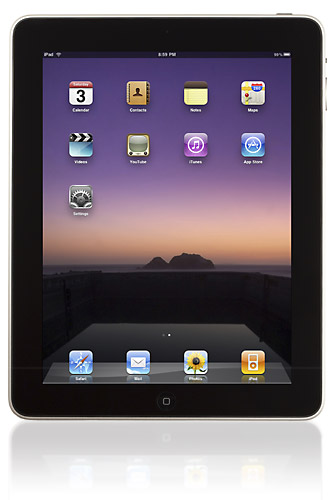
The Apple iPad is a really slick device. It has a great feel to it. It’s balanced, fits well in your hands, is extremely well constructed and looks sharp. The software that powers it runs seamlessly and integrates into Apple’s solution suite perfectly. The application platform is a perfect extension of what has been in place for the iPhone for several years. I received my iPad via UPS and activating it online was a breeze. Apple did a great job in getting the glitches out of the activation process that plagued past iPhone launches. Application management is a breeze and the while the on screen keyboard takes some getting used to its quite usable. If you prefer a traditional keyboard you can still use one as long as its Bluetooth enabled.
My biggest complaints about the iPad are minor ones:
- The name leaves something to be desired
- The screen is easily marked up with fingerprints
- If you have an iPhone headset it won’t work in the standard headphone jack of the iPad.
Complaint #1 sure the iSlate would have been a better choice, but we’re stuck with iPad so if you get one suck it up.
Complaint #2 fingerprints are to be expected as its a touchscreen device. The good news is the screen cleans up easily.
Complaint #3 Apple has used a couple headphone standards in past generation iPhones where the jack has three connections to accommodate a remote. I had hoped the latest standard would carry over to the iPad so I could use existing headphones. No such luck iPhone headphones don’t fit, won’t work and we’re back to using only a standard headphone jack.
I told you… the complaints are minor.
But wait you say….
You use a PC?
In that case yes the cost is pricey by comparison, but easily offset by other benefits (see
5 Reasons Photographers Should Take Note of the iPad).
It’s a computer that lacks multiple ports?
There is nothing you can’t do over WiFI that a port would provide you… after all it’s intended to be a mobile device not hooked up to a ton of wires.
What about it’s lack of Flash support?
Sorry friends at Adobe… it doesn’t matter. The faster you forget about one standard versus another the better off you’ll be. There is ample competition to provide Flash alternatives. Flash isn’t the only game in town, but I’ll admit falling back to a known standard is nice.
[tags]Review, iPad, Apple[/tags]
Pingback: How The iPad is Changing the Landscape for Photographers ~ DPZ - Photography Tips & Digital Camera Reviews